bester-ytm
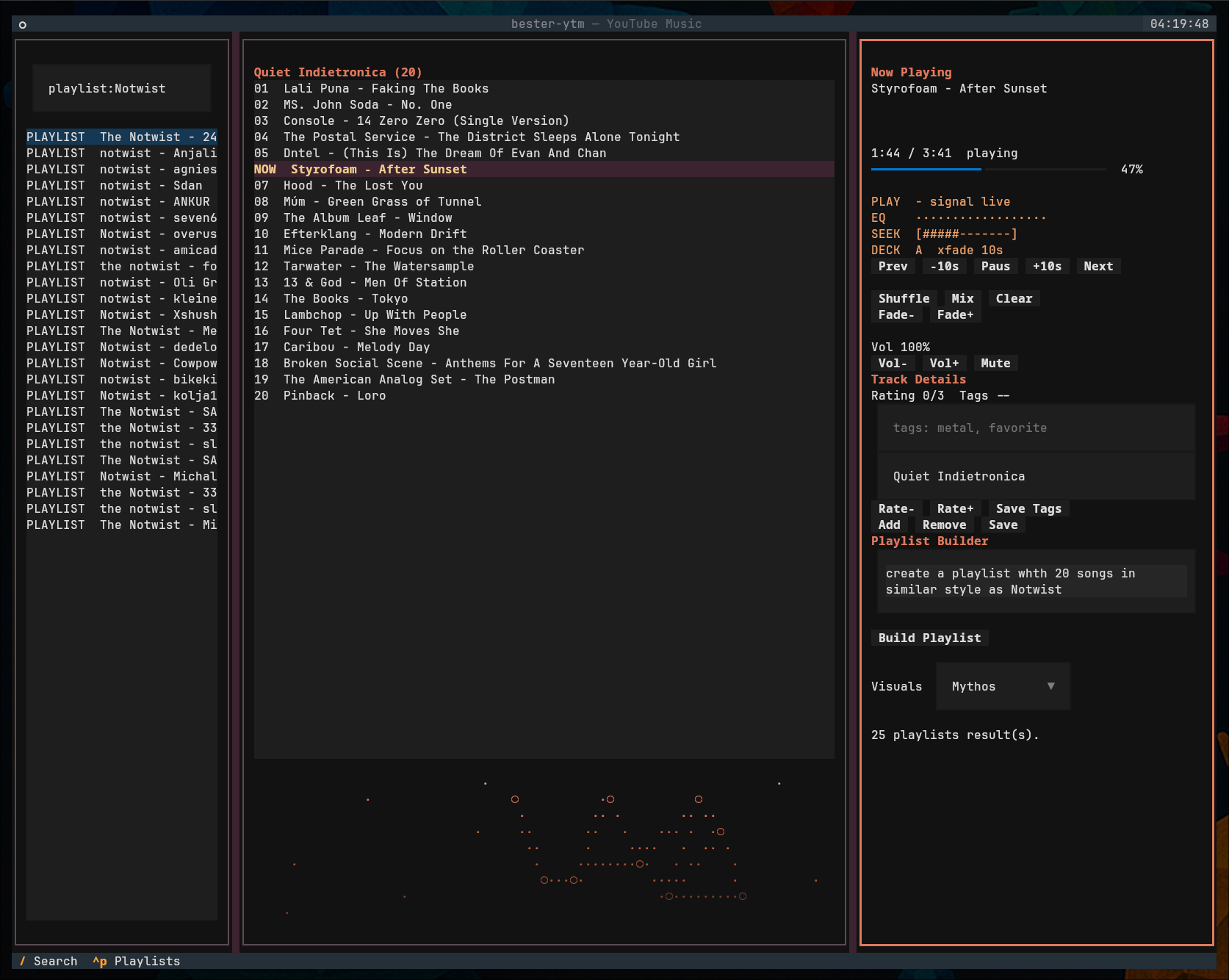
A local terminal YouTube Music companion: search, queue, and play music
through mpv with DJ-style dual-deck crossfades, build playlists from plain
English briefs with an AI provider of your choice, and publish them to your
YouTube Music account.
What it does
- Terminal player — a Textual TUI with search, album browsing, an editable queue, local playlists, favorites, local audio files, web radio with live song names, and audio-reactive visuals.
- DJ transitions — the next track is prebuffered on a second silent
mpvdeck and blended in with an equal-power crossfade. - Playlist builder — turn seed songs or a prose brief ("15 songs in the style of Blind Guardian, save as powermetal-15") into a reviewed plan, then create the real playlist in your account.
- AI, your way — playlist briefs and similar-track suggestions can run through the Codex CLI, the Claude Code CLI, any OpenAI-compatible endpoint (OpenRouter, Ollama, vLLM), the Anthropic API, or a fully offline heuristic.
- Local-first — credentials, plans, playlists, and settings live under your home directory; nothing is sent anywhere except YouTube Music and the AI provider you configure.
Platform support
Linux and macOS. The player controls mpv over a Unix domain socket, so
Windows is not supported (WSL2 works).
Where to start
- Getting Started — install, first run, and logging in.
- Usage — TUI keys, search syntax, and CLI commands.
- Playlist Builder & AI — how plans are built and which AI providers are supported.
- Configuration —
config.tomland data locations. - Architecture — the dual-deck engine and design invariants.